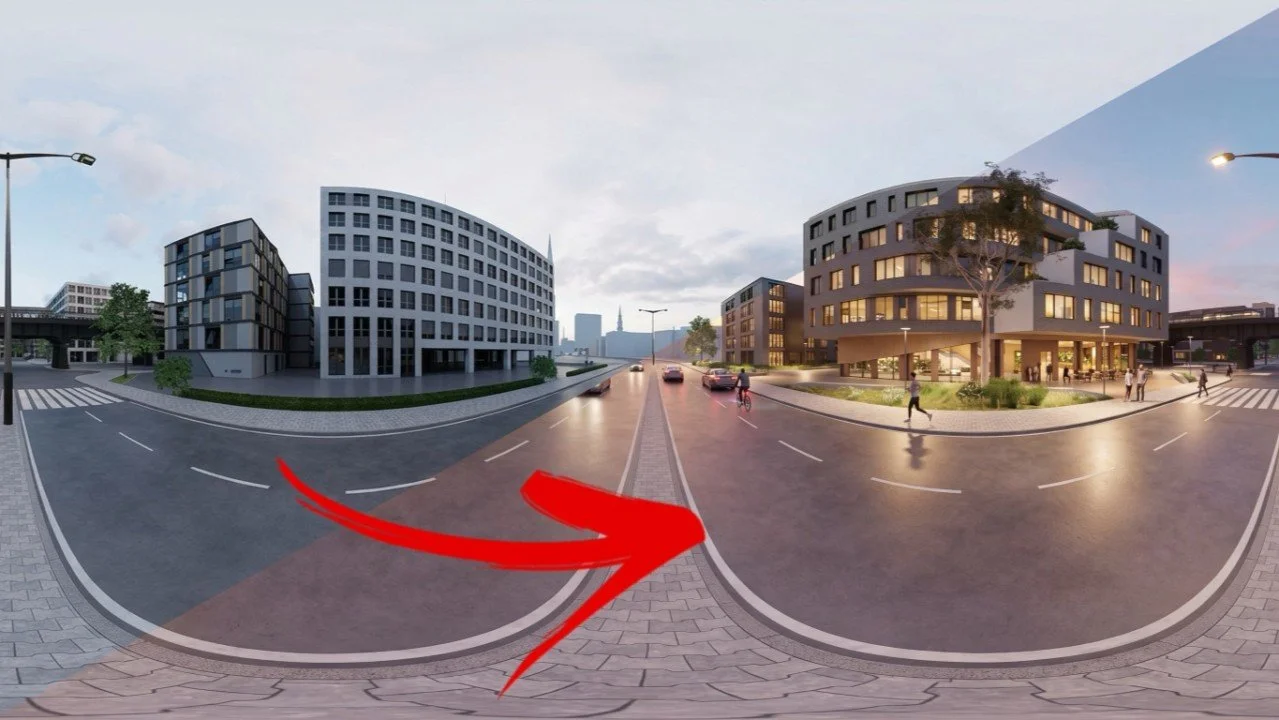
Need to visualize options of geometry, materials, finishes, assets, and more? Don't open this, to open that, to manually swap out geometry, materials, assets, etc. Simply open Veras on the web, upload your pano image, and describe your changes. That's right - it works with panorama images!
Architecture is not for the faint of heart. Long hours, last minute design requirements, incorporating required changes, and more. All unavoidable, because the act of design creates the need for change. Once the design becomes manifest and communicates what the design does, only then does the design become immediately clear as to what is doesn't.
Communicating the design is not just in terms of what needs to be built, it's also about the environment and predicting what the design needs to create in terms of use, time of the day, time of year, options of materials, finishes and more. This dynamic quickly introduces exponential complexity. Let's do the math:
3 times of the day
3 weather effects or seasons
3 different use cases
3 furniture options
3 material and finish options
3 different pedestrian activities
3^7=729 possible permutations!
It's impossible to reliably predict or spend time manually creating all of these options for the design team (much less the client) to review. So don't. Simply create a viable base image of the design. Then use Veras to prompt the iterations when more is reliably known. This process provides maximum certainty (you've started to settle on a specific design vector) with maximum, last minute flexibility (since iteration doesn't require manual and time consuming design changes). Veras is perfect for creating design iterations in seconds with an elegant and poetic prompt.
Of course, you already know that Veras is perfect for design iteration, but did you know you can also iterate your design with panorama images? Pano files are great for providing a greater sense of immersion. Sure - you can't change where you're standing, but you're able to look around and get a better sense of surroundings and context. Of course, rendering a pano file takes a little longer in Enscape. But the result is lightweight, high fidelity, and easily shared with a simple web link!
Use the best of both worlds: Enscape to render a viable base image of the design as a panorama file and Veras to prompt the iterations!
Let's get started with the sample pano image below (just right click>save image) or create your own.
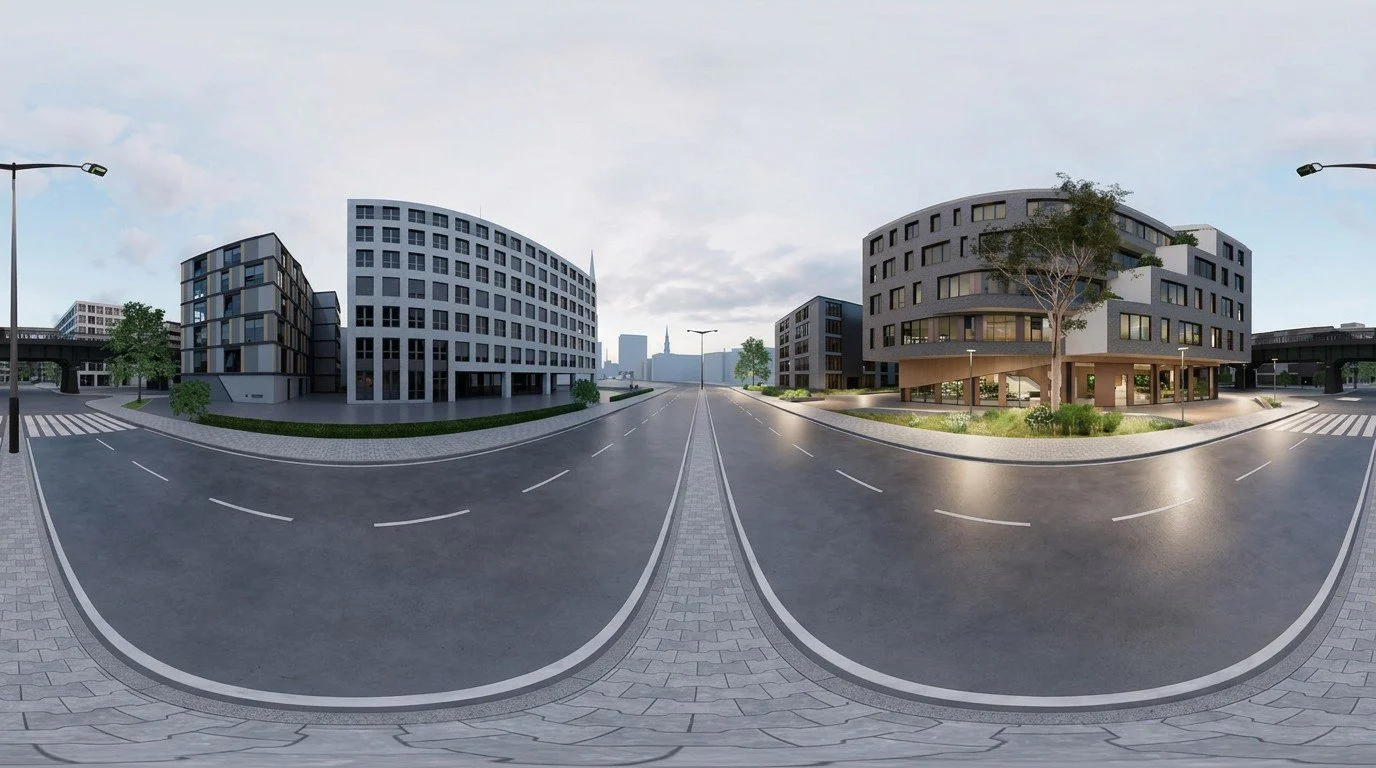
Exterior Base Image Pano File
Open Veras on the web at https://veras.evolvelab.io/. If you're using the sample image above your screen will look like the image below. It's looks okay factually, but there's a distinct lack of emotion.
Adjacent buildings and street lights lack illumination
The sky...meh
Where is everybody?
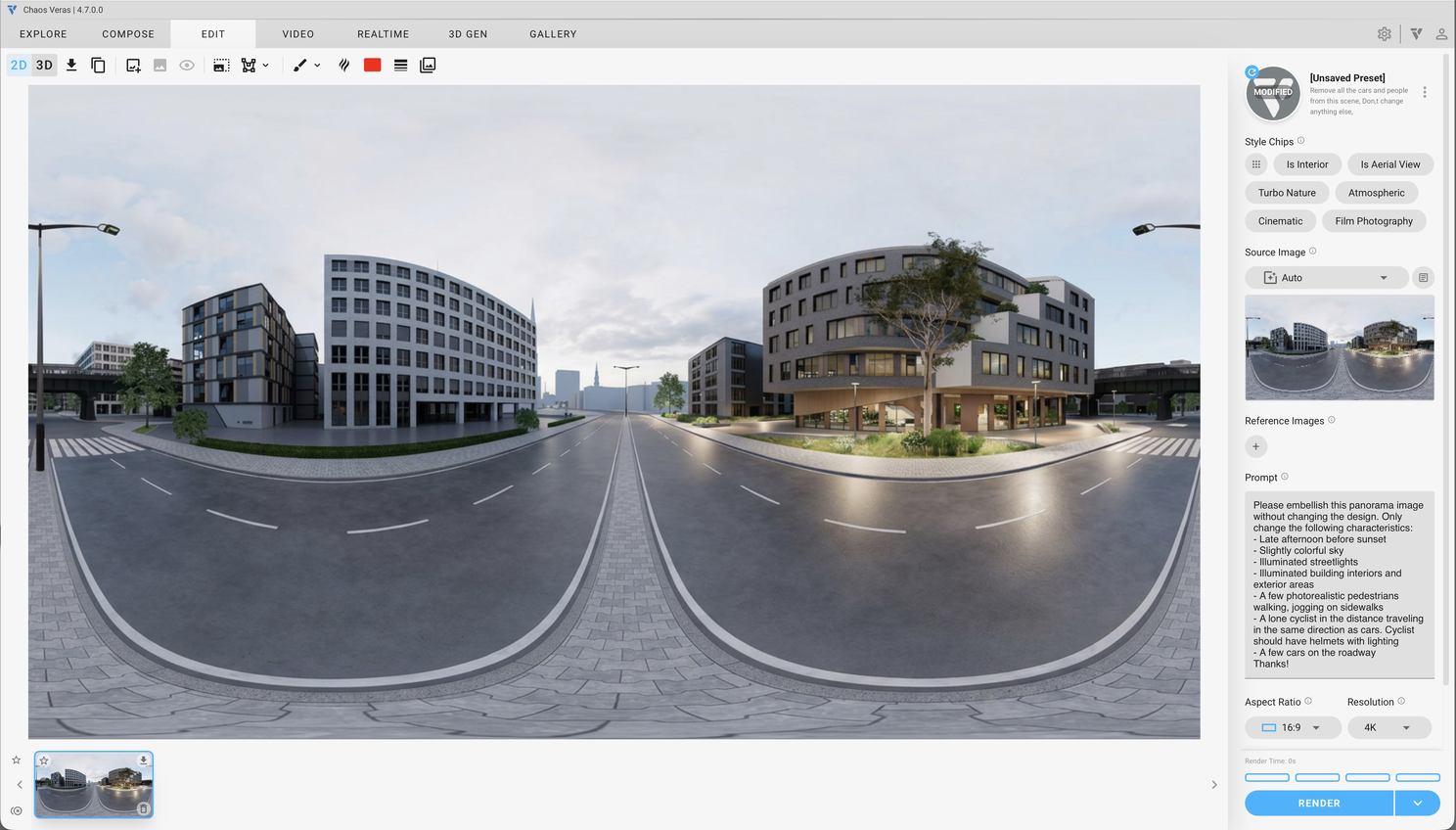
Exterior Base Image Pano File in Veras on the Web
Here's our prompt:
Please embellish this panorama image without changing the design. Only change the following characteristics:
Late afternoon before sunset
Slightly colorful sky
Illuminated streetlights
Illuminated building interiors and exterior areas
A few photorealistic pedestrians walking, jogging on sidewalks
A lone cyclist in the distance traveling in the same direction as cars. Cyclist should have helmets with lighting
A few cars on the roadway
Thanks!
Select 4k as the Resolution and the option above the Render button to render 4 times. Select Render.
After a few moments, here's my results with the preferred result selected.
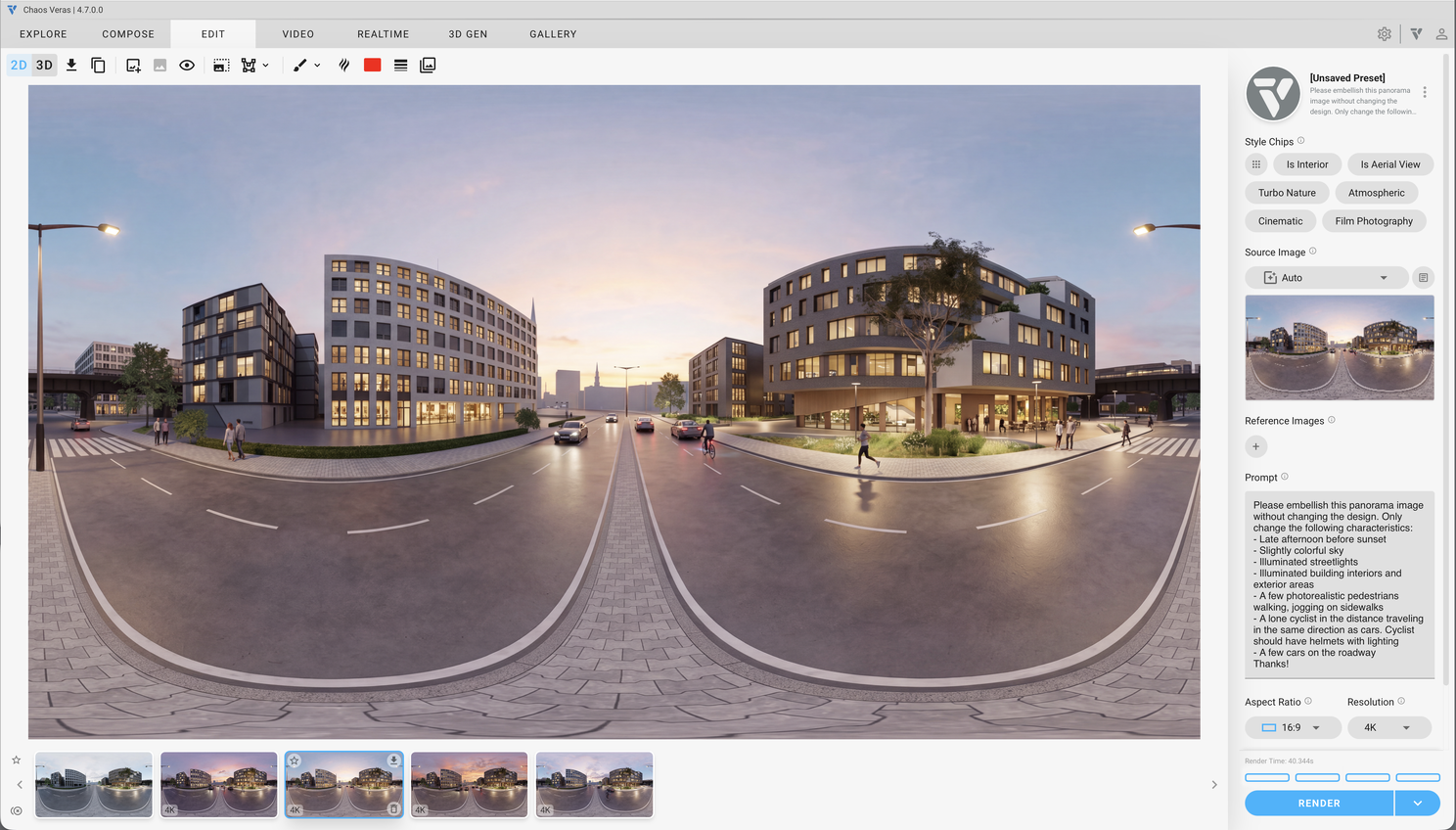
Rendered Pano File with Preferred Result
Here's my preferred image below. Right click>save the image below to your computer or download your preferred image . View and explore either pano file over here: https://renderstuff.com/tools/360-panorama-web-viewer/
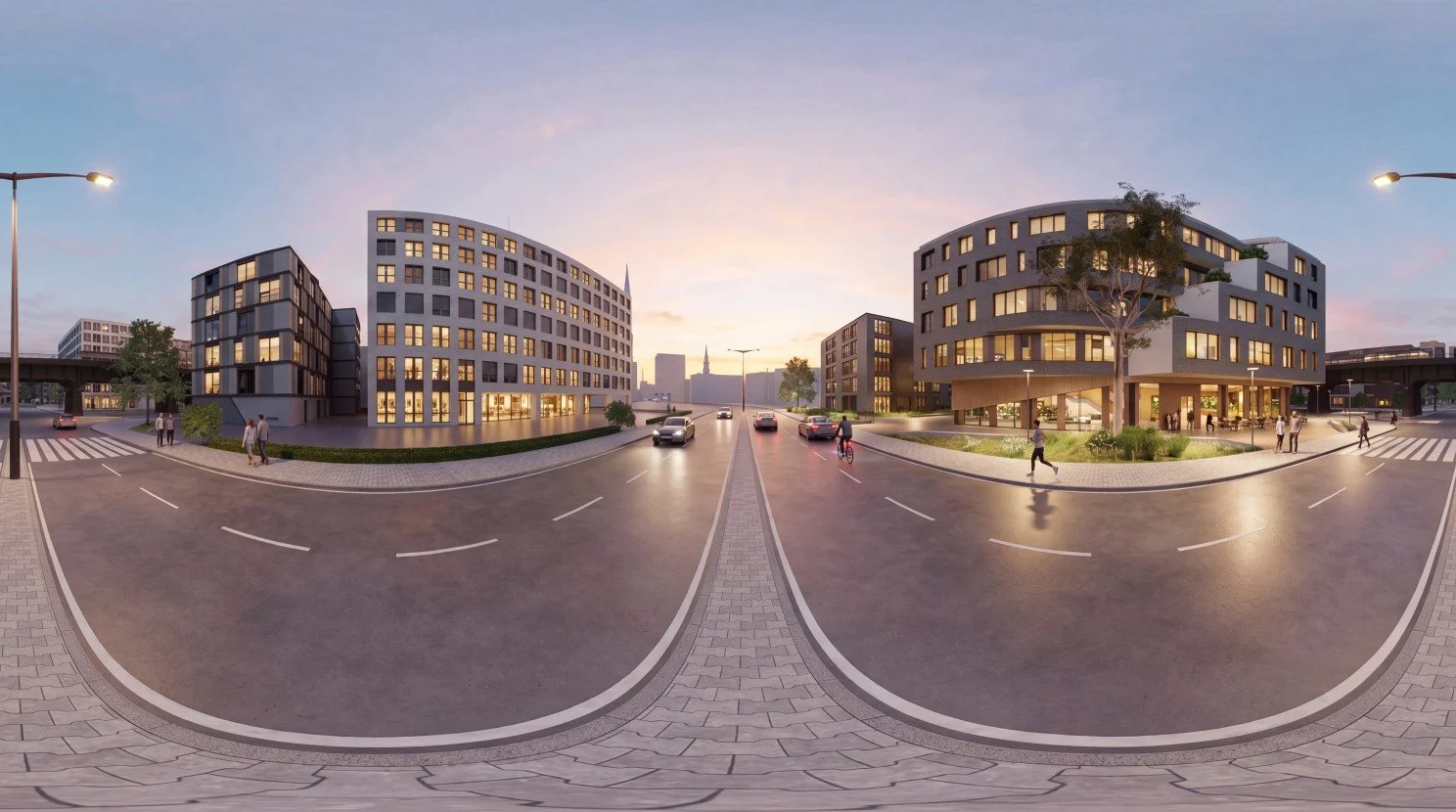
Preferred Pano File Image (Right Click to Download)
Here's the result in the pano viewer. Notice how useful it is to be able to explore the scene and observe small design details and context without being constrained to a single view. Street lamps illuminated, active cyclists and pedestrians, adjacent buildings glowing with activity.
Consider the time it would've taken to create these iterations. With Veras less than a few minutes. And this isn't even a complicated scene. Your client doesn't have the rest of the week to wait while you create this level of detail manually!
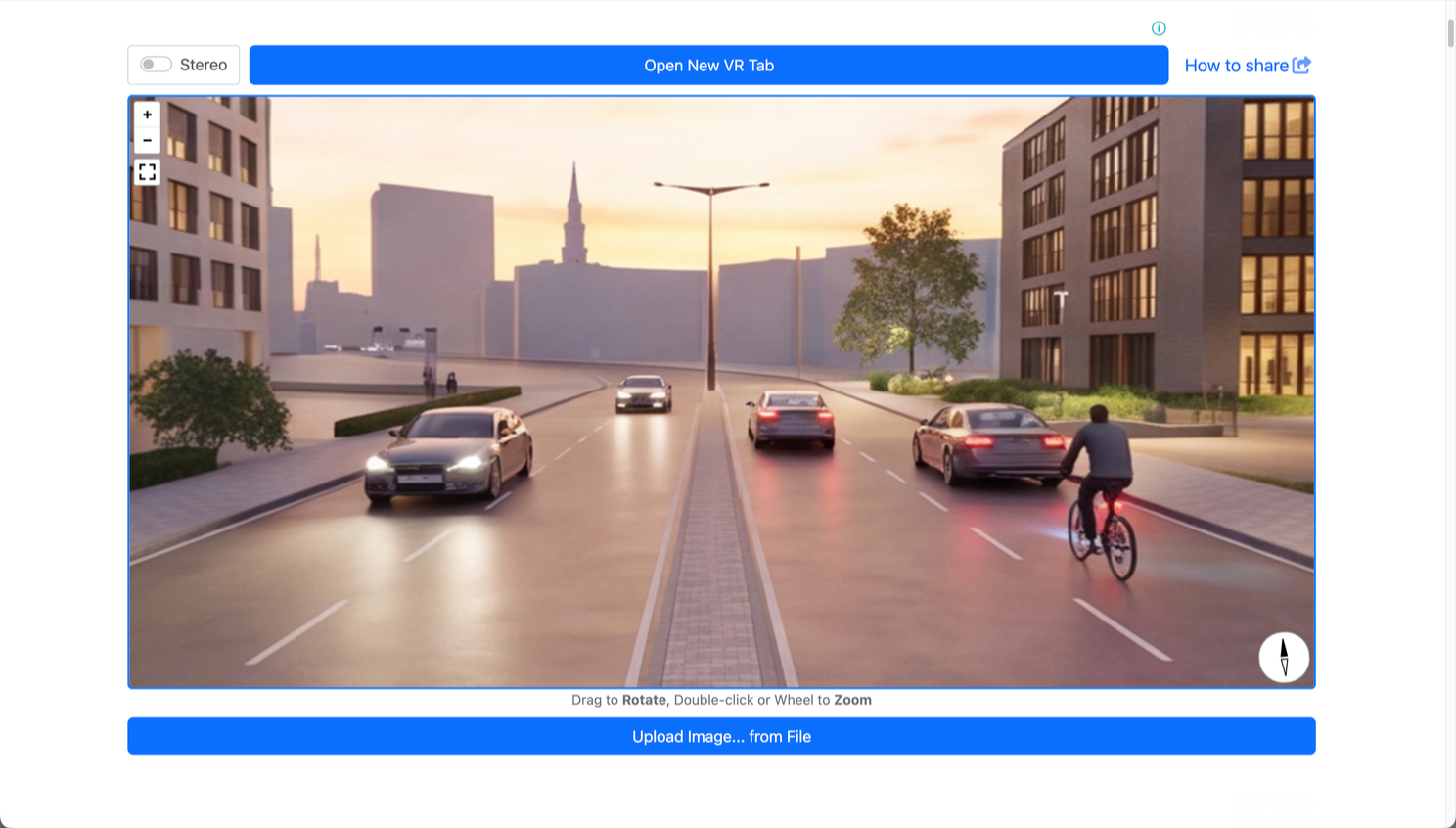
Pano File Viewed in https://renderstuff.com/tools/360-panorama-web-viewer/
This process is perfect for interior renderings as well! Here's the interior lobby of the same building in the image above (sans people and sense of activity).
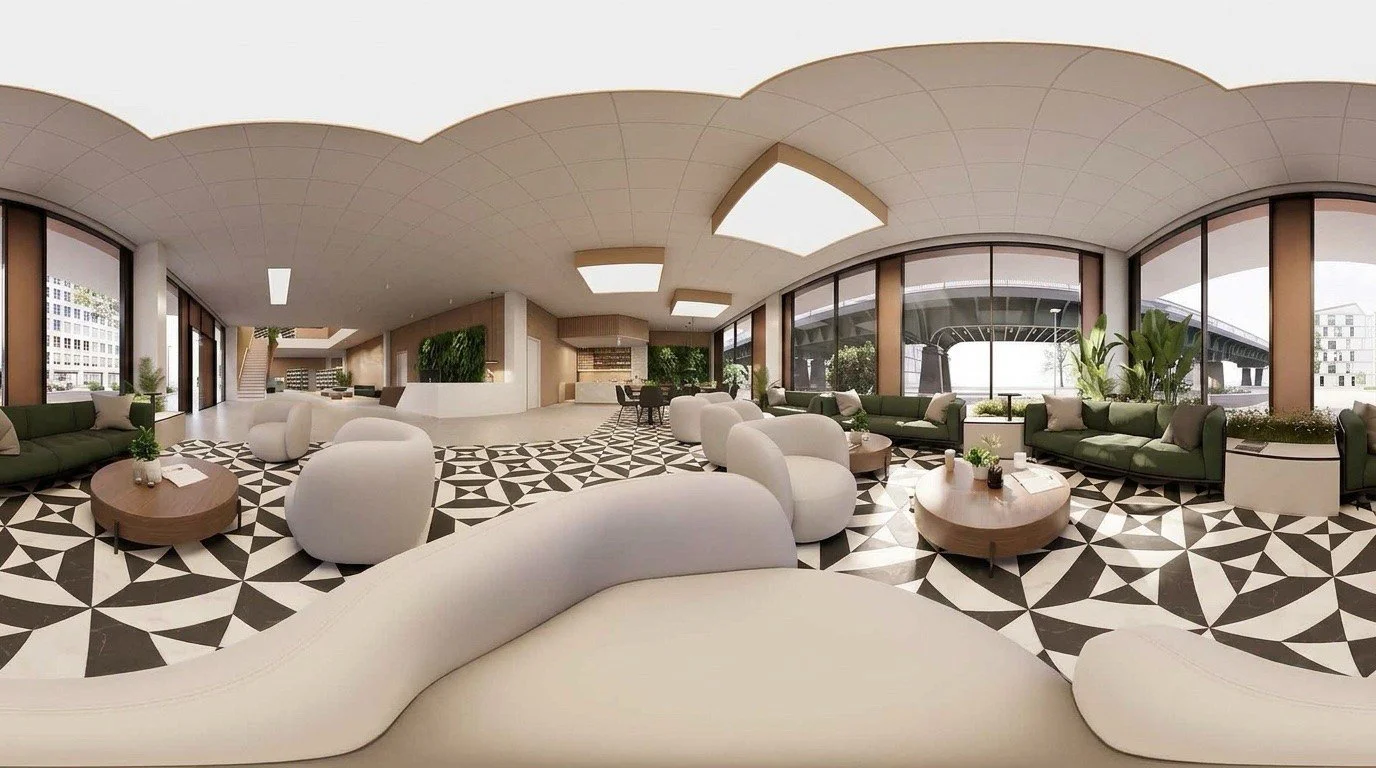
Empty Building Lobby Space
Download the above image and load into Enscape on the web.
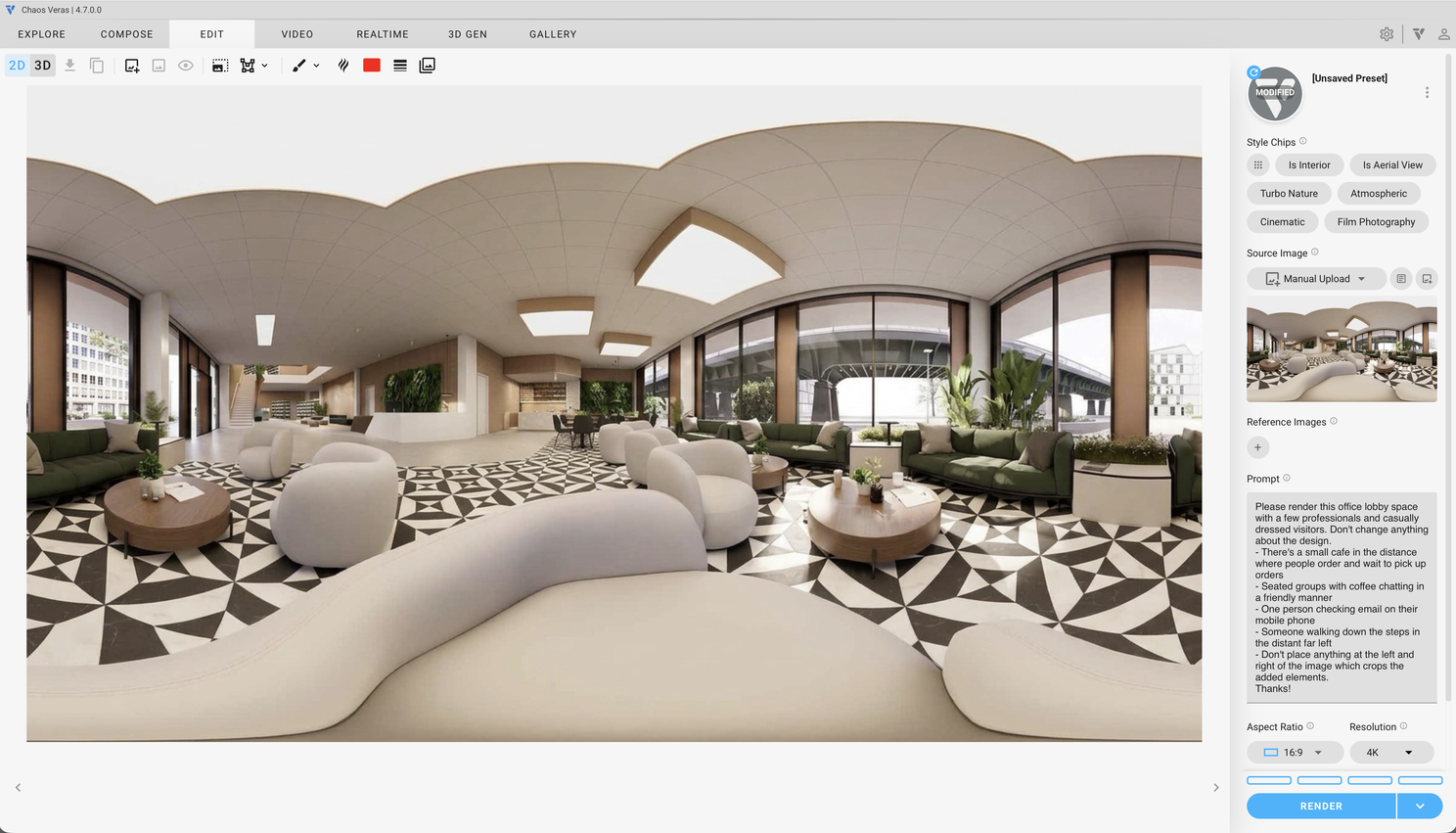
Pano File Uploaded into Veras on the Web
Here's our prompt:
Please render this office lobby space with a few professionals and casually dressed visitors. Don't change anything about the design.
There's a small cafe in the distance where people order and wait to pick up orders
Seated groups with coffee chatting in a friendly manner
One person checking email on their mobile phone
Someone walking down the steps in the distant far left
Don't place anything at the left and right of the image which crops the added elements.
Thanks!
After a few renderings, here's my preferred result.
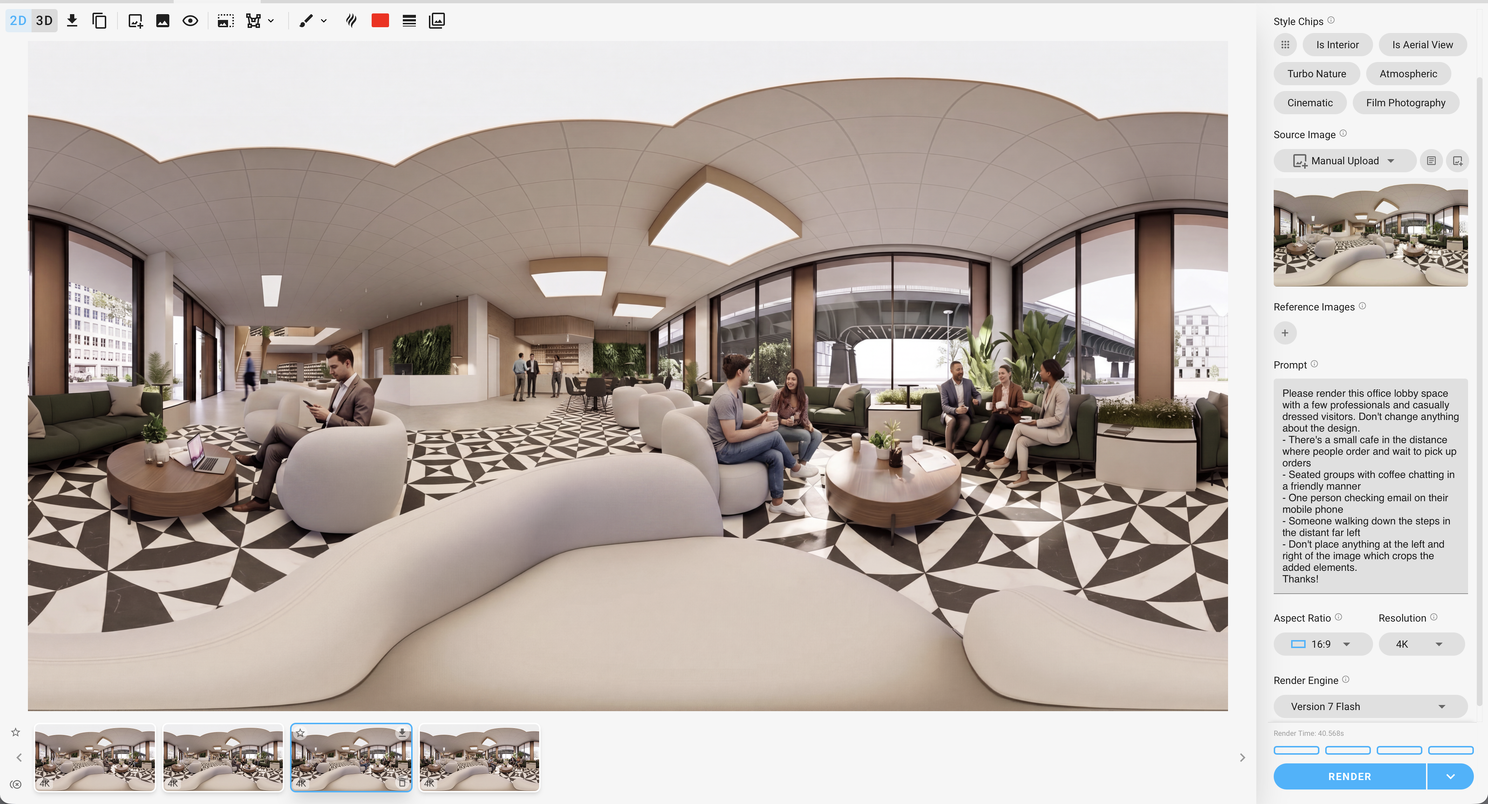
Preferred Result with Prompted People and Entourage
And the final image.
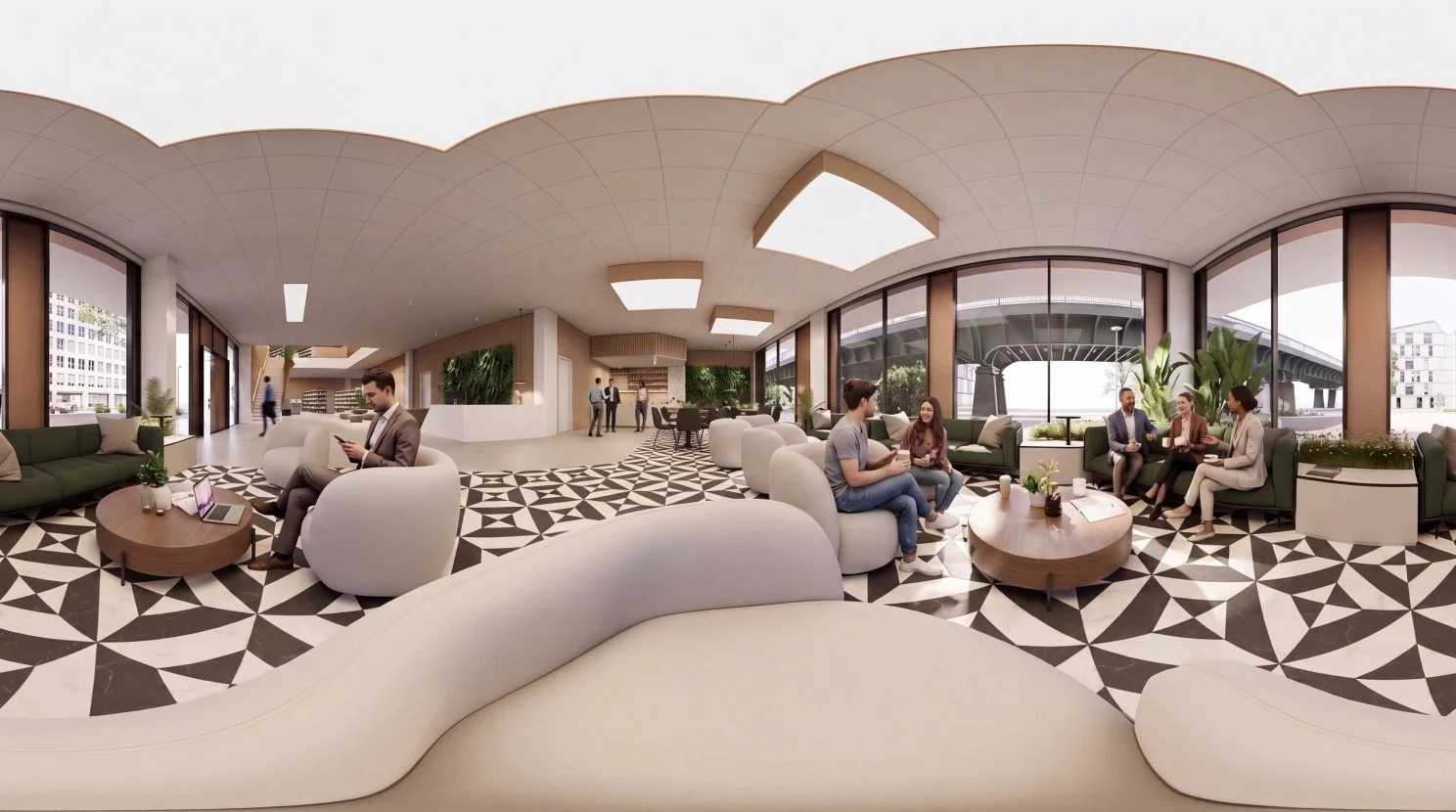
Preferred Pano File Image (Right Click to Download)
Here's the result in the pano viewer. Once again, notice how useful it is to be able to explore the scene and discover small details: open laptops with a few papers, people seated, chatting, and holding to-go coffee, etc. There's even a group in the distance waiting for their coffee orders. This creates a more informed space!
Time taken to create these iterations? Less than a few minutes. How long would it take to manually add all of this detail? Once again - this isn't even a complicated scene. However, your client doesn't have the rest of the week to wait while you create this level of detail manually!
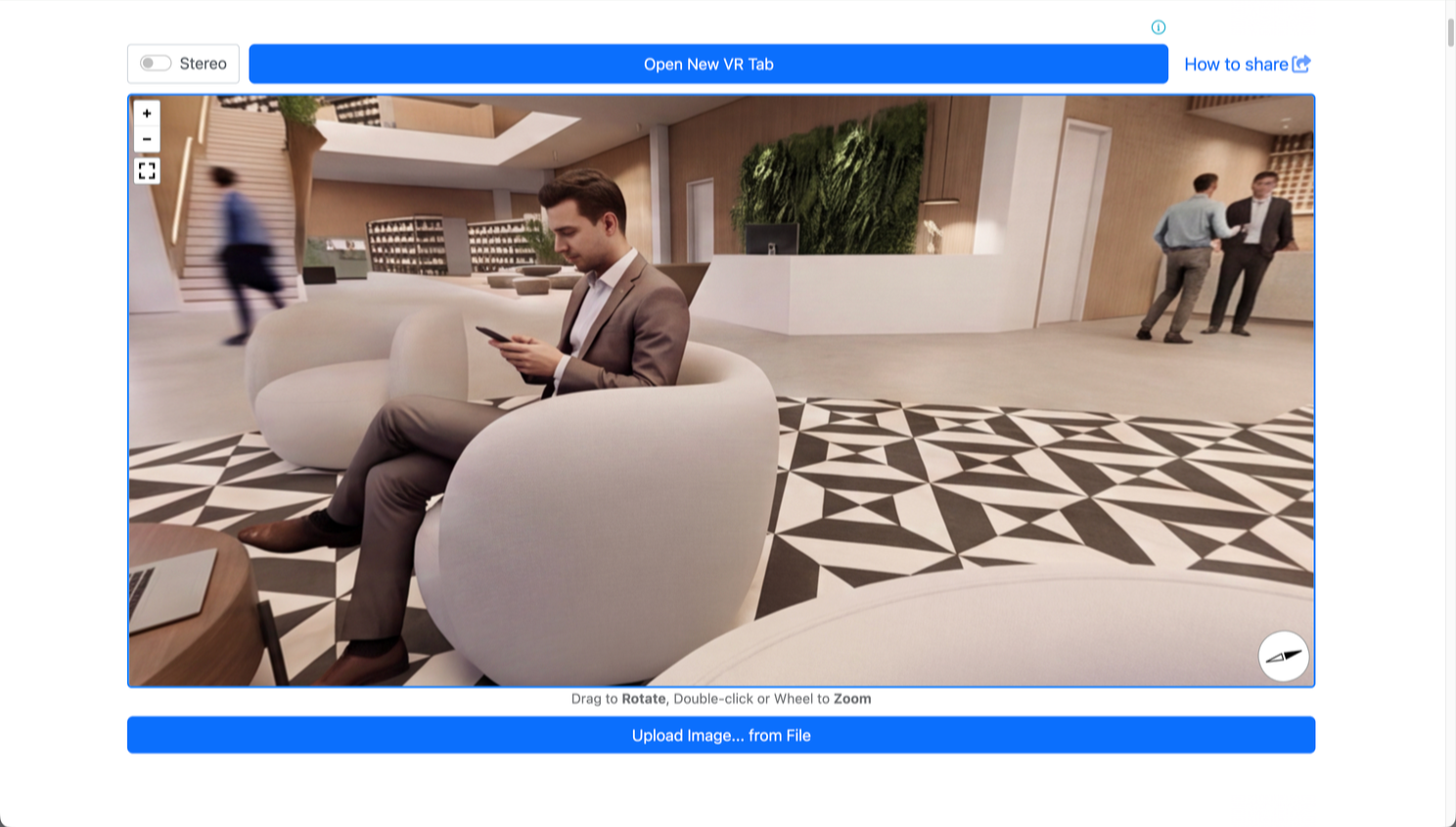
Closing thoughts? Enscape is perfect for creating the base image, rendering pano files in real-time that represents exactly what's in the design file. But you simply don't have the time to create all of the possible permutations and set dressing required by the design team and client.
Combined with Enscape, Veras delivers maximum design certainty with last-minute flexibility. A single elegant prompt produces multiple iterations in seconds, allowing rapid exploration of light, season, materials, or occupation, and more - just in time when more detail is defined and desired.
Congratulations! You've got the best of both worlds with Chaos Enscape and Veras!
We hope this article helps you and your team get the most out of Veras. Questions, suggestions or comments? Please add your feedback in the comments section below! :) And don't forget to Sign Up for Enscape Monthly Updates!
ReadThomas would love to help you succeed with Veras, Enscape and your entire Chaos portfolio! Email us for a private demo or best practices webinar for your team. And when you purchase from ReadThomas, we’ll provide your team with complimentary training, implementation and support! www.readthomas.com.